


Tattoo Design - Tattoo Maker
3.527.00 Reviews
App Specs
- Version
- 1.4.15
- Updated On
- License
- Free
- Downloads
- 500,000+
- Developer
- Neli Creative
- Categories
- Art & Design
- Platform
- Android
Screenshots
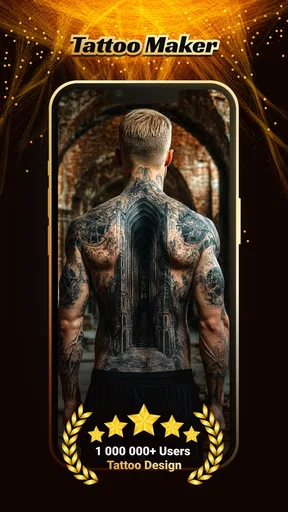
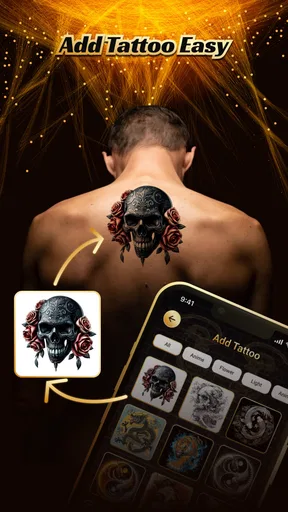
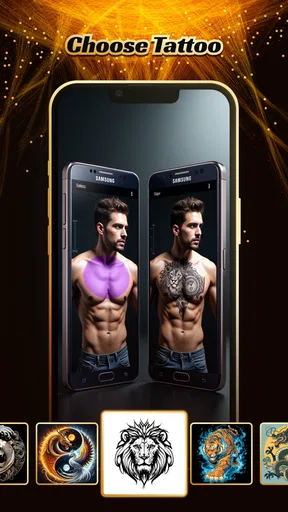
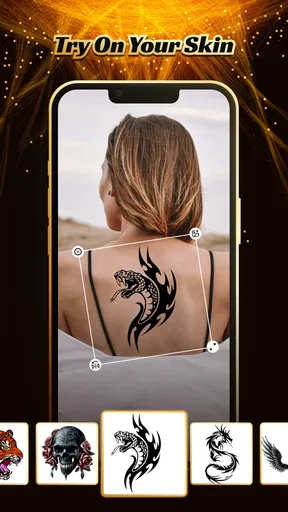
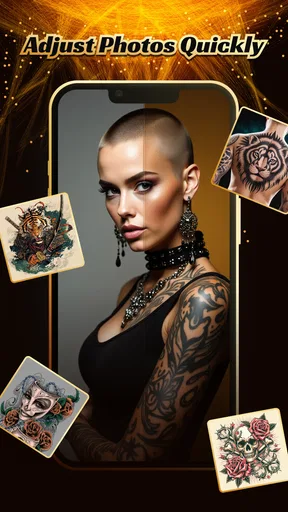
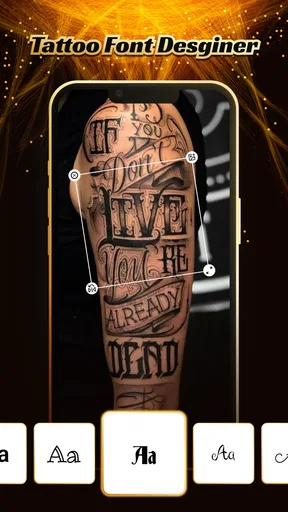
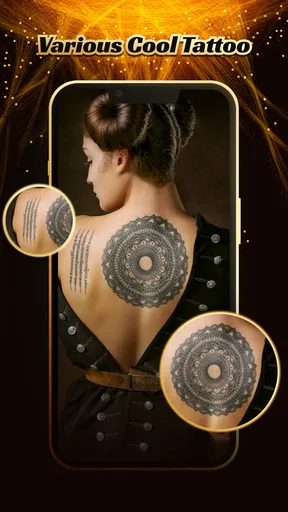
 Analysis by AppCompare
I downloaded Tattoo Design - Tattoo Maker expecting a quick way to test tattoo ideas, and that is exactly where it makes the strongest first impression. It belongs to the Art & Design category, comes from Neli Creative, and is free to use. The basic appeal is easy to understand: instead of imagining a design on your skin, you can explore tattoo concepts and think about how a style might suit you before making a permanent decision.
That distinction matters. This is not a replacement for a tattoo artist, a professional consultation, or careful research into placement and aftercare. I see it more as an idea-generation and preview tool. It is useful during the uncertain stage when you know you want something but have not settled on the subject, size, position, or visual direction.
My overall experience was positive during the first few sessions, although the novelty naturally depends on whether you are actively considering a tattoo. The app has reached over 500 thousand installs, while its average rating sits at 3.5 from roughly 160 ratings and 27 written reviews. Those figures suggest a tool that attracts plenty of curiosity but does not work perfectly for everyone.
What the first week feels like
The first week is when this app is most enjoyable. Tattoo decisions are often full of vague thoughts: “something minimal,” “a darker design,” “maybe on my forearm,” or “I want a symbol but not an obvious one.” Browsing tattoo concepts gives those thoughts a shape. Even when I did not find a final design, seeing different visual directions helped me identify what I liked and, just as importantly, what I wanted to avoid.
I found the preview idea more valuable than simply saving random images from a web search. A search engine can provide an enormous number of tattoo pictures, but that abundance can become confusing. A dedicated tattoo design app keeps the activity focused. I could approach it with a specific question: do I prefer fine-looking line work, a bold graphic, a symbolic image, or something more decorative?
The best way to use it in the beginning is not to hunt for one perfect answer. I recommend making a small shortlist instead. Choose a few designs that appeal to you for different reasons, then compare them after leaving the app for a day. A design that looks exciting during a long browsing session may feel less personal after the initial enthusiasm fades.
That pause is especially important because a digital preview can make a tattoo feel more finished than it really is. An image on a phone does not tell you how the design will age, how much detail will remain readable, or whether the proportions are suitable for a particular body area. I used the app as a conversation starter rather than treating any result as a ready-to-ink stencil.
Worth Reading Before You Choose

EA SPORTS FC Mobile 26 Is a Bigger Football Game, but It Takes Time

Flipboard Shows What News Apps Must Do Beyond the Feed

Switching to Android Auto Means Rethinking Your Driving Routine

Google Calendar Makes a Crowded Week Easier to Manage

Ludo King Makes the Most of the Minutes Between Plans

Baby Panda World Brings Quick Play to Modern Phones, but Its Game Library Feels Busy
Useful for narrowing a vague idea
One of the less obvious strengths is how well the app can support a conversation with a tattoo artist. Instead of arriving with a loose description, you can use the designs you considered to explain your taste. Showing several examples can communicate line weight, mood, density, and composition more clearly than saying you want “something simple.”
I would also use it before contacting a studio, not immediately before an appointment. That gives you time to notice practical questions. Is the design too detailed for the intended size? Would it still look balanced if moved from an arm to a shoulder? Does the central image matter more than the surrounding decoration? The app cannot answer all of those questions, but it can help you ask better ones.
Another good first-week use is comparing a personal concept with more conventional tattoo imagery. If you already have a symbol in mind, browsing related designs may reveal whether you prefer a clean standalone mark or a more elaborate composition. That can prevent an impulsive decision based on the first attractive picture you see elsewhere.
Where the preview can mislead
I would not treat a digital tattoo preview as proof that a design will look exactly right on your body. Screen size, viewing angle, skin tone, body movement, and the tattoo artist’s interpretation all affect the final result. The app is helpful for visual imagination, but it should not create false confidence.
There is also a personal risk in browsing too quickly. Tattoo imagery can be visually persuasive, and a polished design may feel meaningful simply because it looks good. I found it useful to ask myself whether I liked the idea itself or only the presentation. That small check keeps the app from turning into a shortcut around the more thoughtful part of the decision.
Value after the novelty wears off
The month-to-month value is more selective. If you are actively planning a tattoo, the app can remain useful across several stages: collecting references, comparing styles, preparing questions for an artist, and revisiting a design before committing. If you are not considering body art at all, repeated use is less likely to become a lasting habit.
That is not necessarily a weakness. Many creative apps are naturally project-based. A person may use one intensively while planning a tattoo, then stop once the decision is made. I would rather judge this app as a practical companion for a specific creative project than expect it to become a daily destination.
For people who enjoy visual experimentation, there is still some recurring value in returning to it after a break. Your taste can change, and an idea that seemed too plain may later feel more suitable than an elaborate design. Revisiting older possibilities can also show whether your preference is stable or whether you are simply reacting to whatever style you saw most recently.
The free price makes occasional use easier to justify. I did not feel pressure to keep using it to recover a purchase, and that suits the way most people approach tattoo planning. You can open it when inspiration strikes, spend time comparing ideas, and leave without turning the experience into a financial commitment.
A practical workflow for repeated visits
My preferred routine would be simple. During the first visit, I would browse broadly and note the recurring patterns in my choices. On a second visit, I would focus on a narrower direction and remove designs that only appeal because they are dramatic. On a later visit, I would compare the remaining ideas against the intended placement and ask a professional artist for advice.
This workflow gives the app a job at each stage instead of using it as an endless image feed. It also reduces one of the biggest problems with tattoo inspiration: collecting dozens of attractive references without learning what you actually want.
A particularly useful trade-off is choosing between inspiration and commitment. The app is good at helping you discover a direction, but the more time you spend browsing, the easier it becomes to confuse variety with progress. I recommend setting a personal stopping point. Once several designs share the same qualities, stop searching and begin evaluating those qualities.
For example, you might realize that you consistently prefer uncluttered shapes, limited visual detail, and a small central symbol. That conclusion is more valuable than saving another twenty images. It gives a tattoo artist a usable brief and helps you recognize when a new design is merely a variation of what you already know.
How it compares with familiar alternatives
The usual alternative is a general image search or social platform. Those services offer far more material, but they are also noisier and less focused. They can expose you to artist portfolios, healed tattoos, and broader cultural references, which is valuable when you are researching quality and style. Their weakness is that it is easy to lose the original question and keep scrolling without making a decision.
A sketching app is better when you already know what you want to draw yourself. It gives you control over shapes, notes, and revisions, while this tattoo-focused tool is more useful when you need visual prompts or a preview-oriented starting point. I would choose a drawing app for developing an original composition and this one for exploring directions before I can sketch confidently.
Working directly with a tattoo artist remains the better option when the design is personal, complex, culturally sensitive, or intended for an awkward body area. An artist can adapt a concept to skin, recommend appropriate detail, and explain how the work may age. The app earns its place before that conversation, not instead of it.
Maintenance, friction, and reasons to stop using it
The maintenance burden is fairly low because the app does not need to become a permanent daily routine. The main maintenance is mental rather than technical: keeping your ideas organized, resisting endless browsing, and returning to the designs with a cooler perspective. If you use it only during a tattoo project, there is little reason to keep opening it after the decision is complete.
That project-based nature can be either convenient or limiting. People who want a constantly evolving design workspace may find the experience less satisfying than a full drawing or mood-board tool. Someone who wants to create original artwork from a blank canvas should also look elsewhere. The app is most comfortable at the discovery and preview end of the process.
Another source of fatigue is repetition. Tattoo inspiration tends to circle around familiar visual categories, and after several sessions, more browsing may produce less insight. I noticed that the value drops when I stop comparing meaningful differences and start judging images only by their immediate visual impact.
The smartest way to avoid fatigue is to use the app as a decision tool, not as an endless source of stimulation. Give each session a purpose: find a style, compare placements conceptually, prepare references, or test whether an idea still feels right. Once that purpose is complete, close the app and move to the next step.
People who are especially sensitive to originality should be cautious as well. Inspiration can be useful, but a design that looks distinctive in a feed may already be common in tattoo culture. I would take any appealing concept to an artist and ask how it could be personalized instead of copying it unchanged.
Who will get the most from it
I think the app is a good fit for a first-time tattoo candidate who feels stuck between several ideas. It is also useful for someone preparing a consultation, a person comparing visual styles, or a creative user who wants a fast way to explore tattoo themes without opening a general design program.
It can be helpful in an everyday situation too. Imagine deciding on a birthday tattoo with a friend, but neither of you can describe the intended look. A short browsing session can turn “something meaningful but understated” into a clearer discussion about symbols, density, and mood. You still need a professional to refine it, but the conversation starts from something concrete.
I would skip it if you already have a finished design and only need technical advice about execution. I would also choose another tool if your goal is to draw, edit, layer, or build a detailed original illustration. Likewise, anyone expecting a digital preview to guarantee the final tattoo’s appearance may be disappointed.
The Everyone content rating makes it approachable for a broad audience, although age suitability does not remove the need for mature decisions about permanent body art. A younger user can explore ideas, but should still involve a trusted adult and a qualified professional before treating an inspiration image as a plan.
Does it deserve lasting space?
In my view, Tattoo Design - Tattoo Maker earns temporary but meaningful space on a phone when a tattoo project is active. Its value comes from reducing uncertainty: it helps turn a vague desire into a visual direction and gives you better material for a conversation with an artist. That is a real benefit, even if it does not justify daily use for everyone.
The current version is 1.4.15 and supports devices running Android 9 or later. I appreciate that the app is easy to approach as a free art and design tool, especially for casual users who do not want to learn a complicated creative suite before exploring an idea.
Still, I would keep expectations disciplined. It is not the place I would rely on for final technical decisions, originality checks, tattoo-aging advice, or professional design work. Its strongest role is earlier in the process, when you need references and a clearer sense of direction.
After the novelty fades, the app survives only if you give it a specific recurring purpose. Use it to revisit a shortlist, prepare for an appointment, or test whether an idea still feels personal after some time. Do not use it simply because there are more designs to browse.
My recommendation is therefore straightforward: install it if you are seriously exploring a tattoo or helping someone compare ideas. Spend a few focused sessions with it, save the concepts that continue to appeal, and bring those references to a professional. If you want a full-time drawing studio or a permanent design archive, another kind of app will serve you better.
For the right moment, this app is practical and approachable. It does not need to become a lifelong habit to be worthwhile; it just needs to help you make a more thoughtful decision before ink becomes permanent. That focused usefulness is why I would recommend keeping it around during the planning stage, then letting it go when the project is genuinely finished.
Pros
- Large library of tattoo ideas for different styles and body placements.
- Simple editing tools make it easy to test designs quickly.
- Useful for comparing sizes and placements before visiting a tattoo artist.
- Works well as a source of inspiration for custom tattoo concepts.
- Clean interface makes browsing designs fast and straightforward.
Cons
- Some designs and features may require in-app purchases.
- Virtual previews may not accurately match every skin tone or body shape.
- The app cannot show how a tattoo will look as it ages.
- Image quality can vary between designs in the catalog.
- Users may encounter advertisements while browsing or editing.
FAQs for Tattoo Design - Tattoo Maker
What is Tattoo Design - Tattoo Maker used for?
Tattoo Design - Tattoo Maker is a creative app for exploring tattoo ideas and planning how a design may look on your body. It typically lets you browse styles, combine visual elements, add text, and experiment with placement or appearance. It is useful for inspiration and mock-ups, but the result should be treated as a preview rather than a professional tattoo stencil or a substitute for advice from an experienced tattoo artist.
Can I create a custom tattoo design from scratch?
The app is designed to support customization rather than only showing ready-made artwork. Depending on the available tools, you can select a base design, adjust its size and position, combine elements, add lettering, and test different visual arrangements. Users who want a completely original and highly detailed illustration may still need a professional design program or an artist, especially when preparing artwork for actual tattooing.
Can I preview a tattoo on my own photo?
One of the most useful features of a tattoo maker is the ability to visualize a design before making a permanent decision. Tattoo Design - Tattoo Maker may allow you to use an existing image or a camera-based preview, then position and resize the tattoo over the selected area. Lighting, skin tone, body movement, and image quality can affect realism, so the preview should be used only as a general guide.
Is Tattoo Design - Tattoo Maker free to download and use?
The application may be available as a free download, but some designs, editing tools, templates, or export options can be restricted behind advertisements or in-app purchases. Before downloading, check the current store listing for subscription details, trial conditions, and supported devices. If you only need basic inspiration, the free version may be sufficient, while frequent users may encounter premium prompts.
Can I use the designs created in the app for a real tattoo?
You can use an app-created concept as a reference when discussing your idea with a tattoo artist, but you should not assume every included image is cleared for commercial or exclusive use. Artwork may belong to its original creator, and some designs may not be suitable for tattooing without modification. A professional artist can redraw the concept, improve line quality, adapt it to your body, and confirm whether it is technically practical.


